
Cloud Installation
We recommend this option because it is much faster and easier to set up. This way you can have your application ready in a few minutes.
Frontend
This is the file tree for the frontend:
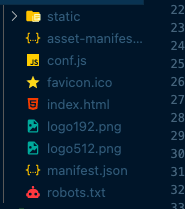
Edit the backend url
- Open the conf.js file
- Edit the BACKEND_URL var, to your backend url

Deploy Frontend
You are ready to deploy your frontend, in this case we are going to use Netlify, but you can use any other alternative.
- When you log in to Netfily, in the dashboard you will see the sites section.
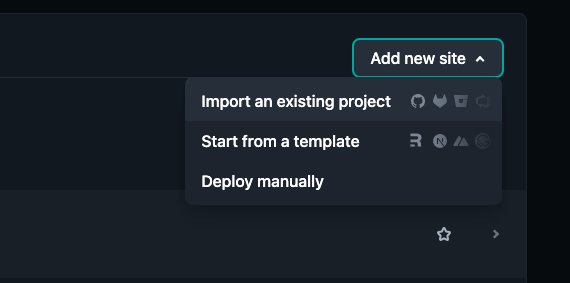
-
Click on Deploy manually
-
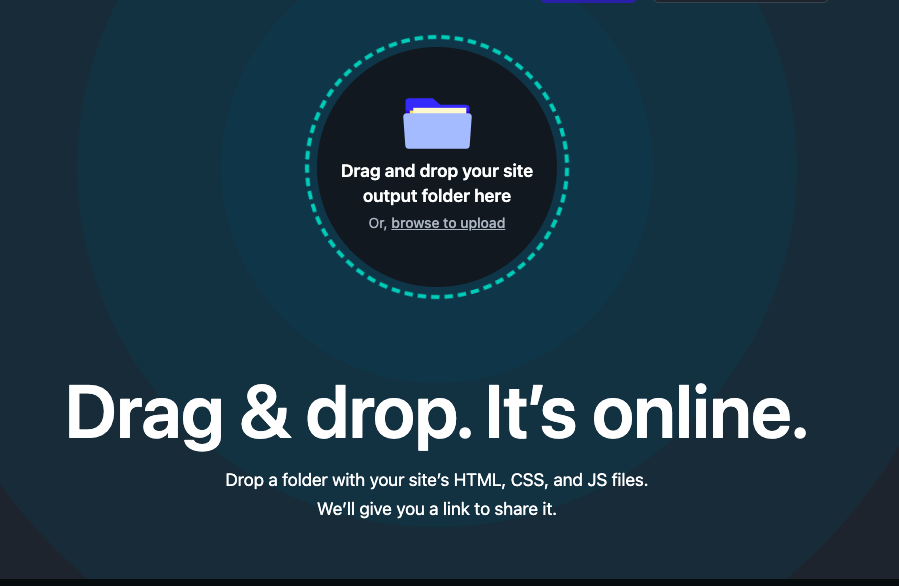
Drag and drop the frontend folder
Backend
In this case we are going to use DigitalOcean for the backend app.
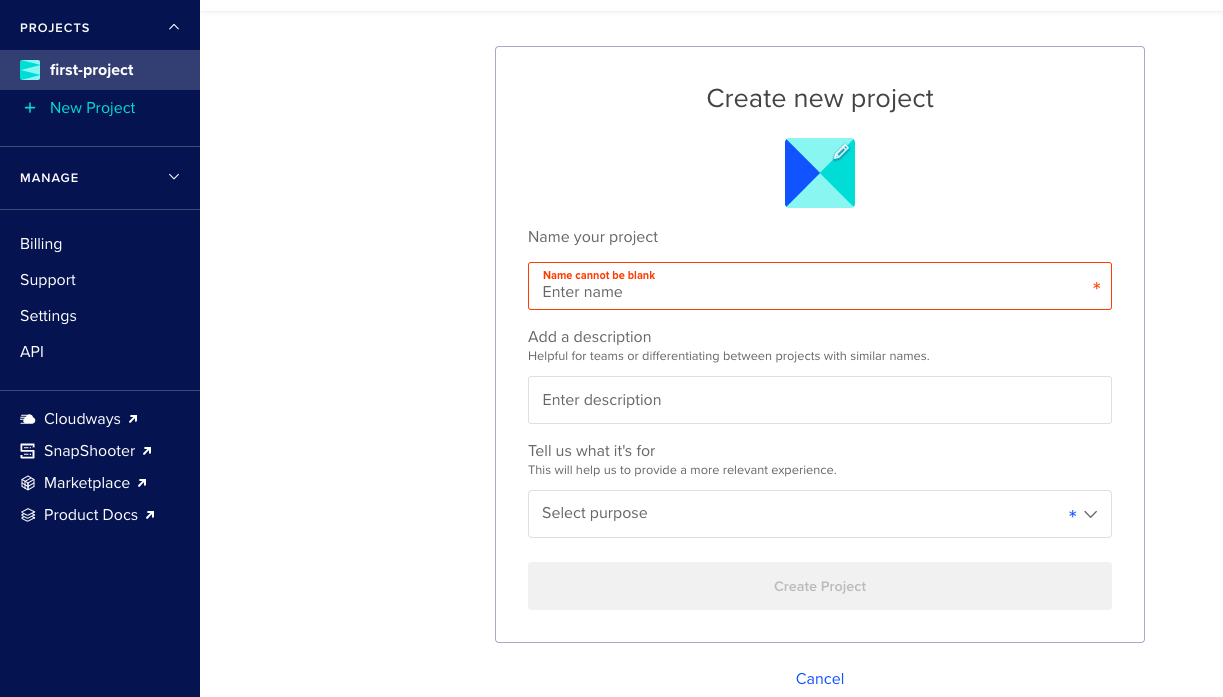
- When you loggen in digital ocean, create a new app project
-
Create a MongoDB: DigitalOcean tutorial https://www.youtube.com/watch?v=NvHQSV7jnKA
-
Follow the DigitalOcean tutorial to deploy your app https://www.youtube.com/watch?v=NPRT8LfAQ90
-
In the minutes 13:00 you have to set the Enviroment vars
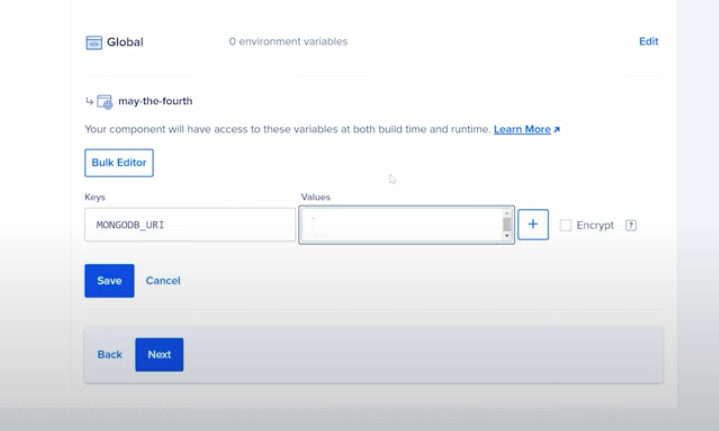
You have to set all this vars with your data:
MONGO_URI=mongodb://localhost:27017/casino?retryWrites=true&w=majority
JWT_SECRET=secretWordJWT
FRONTEND_URL=http://localhost:3000
BACKEND_URL=http://localhost:4000
CALLBACK_SECRET=Jhjd83jKSNjdlem
EMAIL_HOST=sandbox.smtp.mailtrap.io
EMAIL_PORT=YOUR_SMTP_PORT
EMAIL_USER=YOUR_SMTP_USERNAME
EMAIL_PASSWORD=YOUR_SMTP_PASSWORD
Go to configuration step…